


In trusted partnership with the KnowledgeFlow Cybersafety Foundation

Every day in the classroom teachers see how deeply technology shapes student learning, relationships, and behaviour. From the videos students watch to the posts they share, digital media influences how they think, communicate, and understand the world. We created this learning series to give educators the skills and confidence to guide students through that world with clarity and purpose.
Module 1: The Media Mindset invites teachers to pause, learn, and reflect on their role as leaders in digital learning spaces. This module helps you build the mindset needed to evaluate online information, teach students to question what they see, respond to misinformation, and model responsible online behaviour. You will also explore core ideas like digital citizenship including cyberbullying, digital footprints, and how to respond to online harms. These lessons connect directly to everyday teaching and will help you create learning environments that are safer, more informed, and more empowering for your students.
Scroll down to begin your PDday journey!
Contents
Part 1
Digital Media Literacy
As teachers, you are navigating classrooms where students scroll, share, and interpret digital content every day; often without fully understanding where it comes from or how it shapes their thinking. In this submodule, you will explore what digital media literacy means for today’s learners, why it is essential for their safety and success, and how you can guide them in becoming thoughtful, informed participants in digital spaces. By understanding these foundations, you set the stage for stronger critical thinking, more confident learners, and safer online interactions.
Note: Click the video to play it or click the “Watch on YouTube” button on the bottom left of the video to view it directly in YouTube.
Test Your Knowledge!
Part 2
Truth In The Feed
Every day, students encounter headlines, videos, and posts that look credible but are not. Some distort facts, some manipulate emotions, and others intentionally deceive. In this submodule, we will break down the different types of misleading and harmful content, from misinformation and disinformation to malinformation and beyond. You will gain the tools to help students question more deeply, evaluate more carefully, and recognize when something online is not what it seems.
Note: Click the video to play it or click the “Watch on YouTube” button on the bottom left of the video to view it directly in YouTube.
Test Your Knowledge!
Reflecting Back
You may have recognized that preventing the presentation of misleading information begins with strengthening two core components of digital media literacy: critical thinking and research skills. Teaching students to use strategies such as lateral reading, CRAAP or CRISP evaluations, and verifying information across multiple credible sources could have helped them spot the fabricated statistics and AI-generated expert quotes. Reflecting on your own response, you may notice opportunities where you could have turned the moment into a guided learning experience; by inviting students to analyze the article together, model verification steps, or discuss how misinformation spreads. You might also consider redesigning the project to include required source evaluations, checkpoints for credibility, or brief lessons on how AI tools can generate realistic but misleading content. These proactive strategies would better equip students to navigate digital information independently and confidently.
Part 3
Online With Intention
In this submodule, you will explore what it means to be a responsible digital citizen and how online rights and obligations shape the way students create and share content. You will also look at what digital footprints are, why they matter for identity and safety, and how to help students protect and manage them. This submodule gives you the practical language and strategies to integrate digital citizenship into everyday teaching so your students can build positive, mindful online identities.
Note: Click the video to play it or click the “Watch on YouTube” button on the bottom left of the video to view it directly in YouTube.
Test Your Knowledge!
Reflecting Back
You may have realized that guiding a student before an accidental or uninformed social media post connects directly to the digital literacy components of online identity management and content creation. Helping students think through audience, permanence, and potential consequences encourages them to pause before sharing. Integrating quick routines (such as a “think-before-you-post” checklist, discussions about digital footprints, or examples of posts that spread misinformation unintentionally) can help students build stronger judgment. You might also reflect on whether your instruction already includes opportunities for students to practice creating ethical, accurate digital content. Strengthening these lessons can reduce the likelihood of similar situations and empower students to become more responsible online communicators.
Part 4
Recognizing Digital Harm
In this submodule, you will dive into the typology of online harms and learn how each one shows up in the daily digital lives of your students. You will also explore the most common online crimes affecting youth today, including cyberbullying, sextortion, and newer forms of harm made possible through deepfakes and other AI-driven manipulation. By understanding these risks clearly, you will be better prepared to recognize warning signs, support students effectively, and foster safer digital spaces in your classroom and beyond.
Note: Click the video to play it or click the “Watch on YouTube” button on the bottom left of the video to view it directly in YouTube.
Test Your Knowledge!
Part 5
Responding to Digital Harm
You have learned how to identify online risks, now it is time to focus on action. In this module, we will explore how to respond to cyberbullying, sextortion, misinformation spirals, and other forms of digital harm with calm, clarity, and compassion. You will learn what steps to take, how to support students emotionally and practically, and how to build a culture where students feel safe speaking up and seeking help.
Note: Click the video to play it or click the “Watch on YouTube” button on the bottom left of the video to view it directly in YouTube.
Test Your Knowledge!
Reflecting Back
You may have considered how your own experiences with online harms (such as misinformation, privacy breaches, or emotionally harmful interactions) connect to the digital literacy component of online safety. Recognizing how difficult it can be to interpret or respond to online risks helps you better understand what your students may feel. Your role as a trusted adult becomes stronger when you openly model safe practices, discuss real-world examples of online harms, and show students how to use tools such as reporting functions, privacy settings, strong passwords, and verification strategies. By teaching students to critically evaluate online spaces, respond safely, and know when to seek help, you support their digital resilience and help them see you as a reliable resource in navigating online challenges.
To complete this module and receive your credit, please complete the following quiz and receive a grade of at least 70% to pass.
PDday.ca Module 1 Quiz
Lesson Plans
PDday.ca Lesson Plans for your classroom
Explore our full collection of digital media literacy and cybersafety lesson plans designed specifically for K–12 classrooms, fitting effortlessly into your existing schedule and curriculum. Each lesson is engaging, easy to deliver, and intentionally designed to be completed in 45 minutes or less; making classroom integration simple and stress-free.
PDday.ca Teaching Materials
Here are three slide shows, filtered by grade range (Grades 9–12, 5–8, and 1–4), that you can add straight into Google Classroom. These slideshows make it easy for you to turn the information into teachable lessons with ready-to-go slides so that students can become the experts themselves. You can present them in class or share them with students and parents to explore on their own.
PDday.ca Class Activities
Here are lesson activities you can use directly in the classroom and upload to Google Classroom. There is a teacher version and a student version that can be directly handed out. This version works as a teacher guide or can be shared with students for easy use. The activities are curriculum-aligned and designed to deepen students’ understanding of cybersafety concepts. They are organized by grade range (Grades K-4 and Grades 5-12) and conveniently included in a single document for easy access.
Student Discussion Guides
Use the discussion guides below to foster communication inside and outside of class about cybersafety and technology topics.
Grades 4-8 Discussion Guides
Grades 9-12 + Adult Discussion Guides
Curriculum Alignment for Teachers
We have streamlined the integration of our cyber safety materials into your curriculum with a comprehensive guide. This guide helps educators align our resources with provincial standards, making it easy to incorporate our content into lesson plans while meeting educational outcomes. By filtering by province, grade, and course, educators can find the exact resource or lesson plan needed to include cybersafety education.
Tip Sheets & Guidebooks
Cyberbullying
6 Essential Tips to Help You Recognize Cyber Bullying Tip Sheet
Pink Shirt Day In Canada: Anti-Online Bullying Awareness Tip Sheet
Misinformation/Disinformation/Malinformation
C.R.I.S.P. Scan Tip Sheet
Human Biases: Their Role in Misinformation and Social Media Tip Sheet
Online Harms
Typology of Online Harms Tip Sheet
Sextortion
AI-Generated Images Teens Tip Sheet
AI-Generated Images Advice for Supporting a Victim Tip Sheet
AI-Generated Images Guide for Principals and Teachers Tip Sheet
Extortion Scams Tip Sheet
How to Support A Victim of Sextortion Guidebook
Sextortion Scam Awareness For Teens Tip Sheet
How to Support A Victim of Sextortion Guidebook
Additional Courses
CyberBytes: Empowering Educators Through Digital Literacy
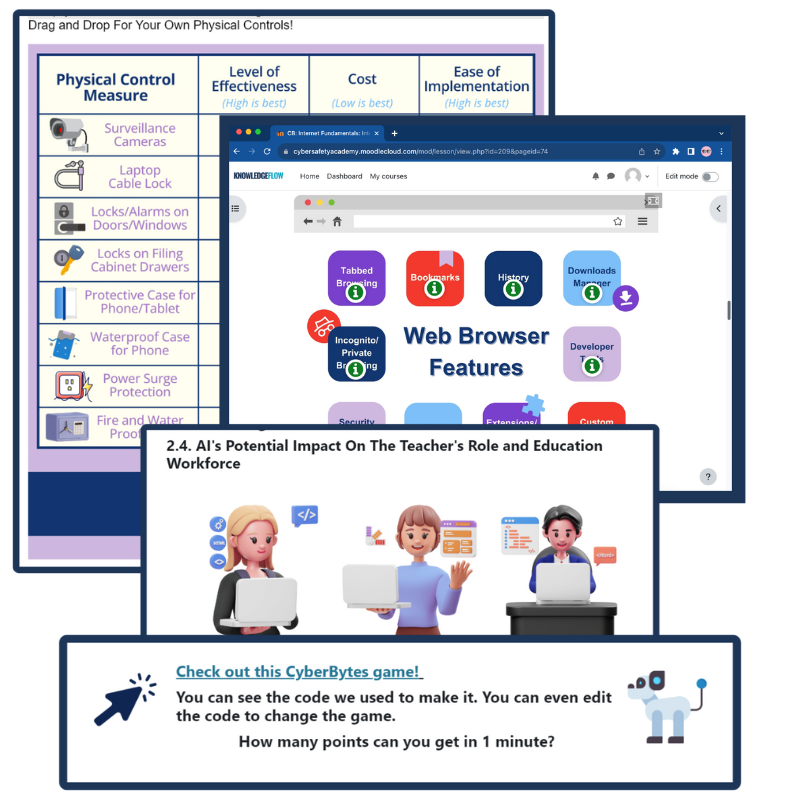
The CyberBytes Program is a free, self-paced course created exclusively for K-12 educators in Canada, designed to fit your schedule and enhance both your personal and professional growth. Developed by certified cybersecurity experts, this program empowers you to create engaging, tech-savvy classrooms while equipping you and your students with the skills needed to thrive in an ever-evolving digital landscape.
If you would like to…
- Further expand your knowledge on digital literacy, misinformation, digital citizenship, digital harms, and all other topics we have covered above;
- Obtain cross-curriculum ready-to-use lesson plans, classroom posters and checklists, student resources, tipsheets, and other external resources;
Please go to ICTC’s online CyberBytes course and complete the Cyber in Culture and Society module by clicking the button below.
Playing with Razors: A Handy Guide for Teens

“Playing With Razors: A Handy Guide for Teens?” Wait. What?! That title definitely grabs your attention. Would you have been as intrigued if it were called “Debunking Disinformation”? Probably not. Congratulations, you just fell for clickbait! But do not worry, this time it is harmless and intentional.
This course is designed to help teens navigate the tricky world of online information with confidence. In today’s digital age, where posts, videos, and messages spread faster than ever, it is easy to get caught up in what is true, half-true, or completely false. This course will give teens the tools to think critically, spot misinformation, disinformation, and malinformation, and make informed choices. With the C.R.I.S.P. method as their guide, they will learn to cut through the noise and take control of their digital world, empowering themselves and those around them.

The Information and Communications Technology Council (ICTC) is a neutral, not-for-profit national centre of expertise with the mission of strengthening Canada’s digital advantage in the global economy. For over 30 years, and with a team over 100 experts, they have delivered forward-looking research, practical policy advice, and capacity-building solutions for individuals and businesses. ICTC’s goal is to ensure that technology is utilized to drive economic growth and innovation and that Canada’s workforce remains competitive on a global scale. ICTC’s PDday is funded by the Government of Canada’s CanCode Initiative.
 English
  French
  Chinese
  Spanish
  Ukrainian