


In trusted partnership with the KnowledgeFlow Cybersafety Foundation

Every day, teachers create digital and print materials meant to guide, inspire, and support learners, but not all students experience those materials in the same way. Fonts, colors, contrast, layout, and structure can quietly determine whether content feels clear or confusing, welcoming or overwhelming. When educators understand how design shapes access, they gain the ability to reach every learner with intention and clarity.
Module 4: Designing for Everyone brings educators into the essential world of inclusive and accessible design. This module explores the foundations of visual communication, including elements, principles, layout, typography, and colour, while showing how small shifts can transform learning materials into tools that support diverse needs. You will examine what makes text readable, how to build a strong visual hierarchy, and how accessibility guidelines like the POUR model and AODA turn good design into equitable design. From contrast checks to real classroom examples, from reflection moments to hands-on practice, each lesson empowers you to create materials that work for all students.
Scroll down to continue your PDday journey!
Contents
Part 1
Designing Clear & Effective Learning Materials
How do design choices shape how students understand and engage with learning materials? In this submodule, you will explore the difference between design and graphic design and why these concepts matter in everyday classroom resources. You will learn about the key elements and principles of visual design and how they influence clarity, focus, and comprehension. Through practical classroom examples, the submodule highlights how thoughtful layout, typography, colour, and spacing can reduce unnecessary effort for students and support learning more effectively. By the end of this submodule, you will be better equipped to evaluate and improve your own teaching materials, making intentional design choices that enhance accessibility, organization, and student understanding.
Note: Click the video to play it or click the “Watch on YouTube” button on the bottom left of the video to view it directly in YouTube.
Test Your Knowledge!
Reflecting Back
When we design lessons and learning materials, we often focus first on the content itself; what students need to know or be able to do. However, how that content is presented plays a major role in whether students can easily understand it and stay engaged. Visual hierarchy, spacing, colour, and layout all influence where students direct their attention and how they make sense of information. Taking time to reflect on a recent lesson or resource can help reveal moments where students may have felt overwhelmed, unsure of what was most important, or disengaged. By considering how effectively your materials guided attention and highlighted key ideas, you can begin to identify small design adjustments (such as clearer headings, consistent formatting, or reduced visual clutter) that improve clarity. Even one small change can make learning materials more approachable and support students in focusing on what matters most.
Part 2
Accessibility Essentials
What does accessibility mean in practice, and what responsibilities do educators have when creating learning materials? In this submodule, you will explore the legal foundations of accessibility in Canadian education and the practical tools that support inclusive teaching. You will learn how accessibility legislation, built-in accessibility checkers, and classroom technologies help remove barriers for students with diverse needs. The submodule also introduces the POUR model as a framework for designing digital materials that are perceivable, operable, understandable, and robust. Through classroom examples, you will examine how thoughtful choices around layout, contrast, navigation, language, and representation support equitable access and participation. By the end of this submodule, you will be better prepared to integrate accessibility and inclusive design into lesson planning as an intentional, proactive part of effective teaching.
Note: Click the video to play it or click the “Watch on YouTube” button on the bottom left of the video to view it directly in YouTube.
Test Your Knowledge!
Reflecting Back
Teachers regularly create and share assignments, documents, and digital resources, often without having the opportunity to step back and examine them through an accessibility lens. Yet for students who rely on accessibility services or assistive technologies, design and format choices can determine whether a resource is usable at all. Reflecting on the materials your students interact with every day invites you to consider who might be unintentionally excluded and why. Thinking about factors such as readable fonts, clear structure, alternative text, captions, and compatibility with accessibility tools can help uncover gaps between intention and experience. By assessing how many of your current resources meet basic accessibility standards, you can begin to identify practical steps toward more inclusive design; ensuring that all students have equitable access to learning and the opportunity to succeed.
Universal Design for Learning
From Cast
Part 3
Demonstration & Skills Test
Practicing design skills is just as important as learning about design concepts. In this final submodule, you will apply what you have learned by analyzing real classroom-style materials. You will be presented with five designs, each containing multiple design issues related to layout, readability, visual hierarchy, accessibility, or clarity. For each design, your task is to identify three design flaws and consider how those choices might affect student understanding and engagement. This exercise encourages critical observation, reinforces key design principles, and helps you build confidence in evaluating and improving teaching materials before using them in the classroom.
1. RimberioCafé Poster
2. Workplace Culture Blog Banner
3. Art Exhibition Poster
4. Portfolio Cover Slide
5. Business Workshop Poster
Reflecting Back
As you examined the five posters, you may have noticed how small design choices can either support or hinder understanding. Issues like crowded layouts, inconsistent fonts, low contrast, or unclear emphasis can make it harder to identify key messages, increasing cognitive load for learners. This submodule encouraged you to view materials from a student’s perspective and recognize how design elements and principles shape clarity and accessibility. As you reflect, consider how similar adjustments (such as improving spacing, strengthening visual hierarchy, or simplifying layouts) could enhance your own teaching materials.
To complete this module and receive your credit, please complete the following quiz and receive a grade of at least 70% to pass.
PDday.ca Module 4 Quiz
Lesson Plans
PDday.ca Lesson Plans for your classroom
Explore our full collection of digital media literacy and cybersafety lesson plans designed specifically for K–12 classrooms, fitting effortlessly into your existing schedule and curriculum. Each lesson is engaging, easy to deliver, and intentionally designed to be completed in 45 minutes or less; making classroom integration simple and stress-free.
PDday.ca Teaching Materials
Here are three slide shows, filtered by grade range (Grades 9–12, 5–8, and 1–4), that you can add straight into Google Classroom. These slideshows make it easy for you to turn the information into teachable lessons with ready-to-go slides so that students can become the experts themselves. You can present them in class or share them with students and parents to explore on their own.
PDday.ca Class Activities
Here are lesson activities you can use directly in the classroom and upload to Google Classroom. There is a teacher version and a student version that can be directly handed out. This version works as a teacher guide or can be shared with students for easy use. The activities are curriculum-aligned and designed to deepen students’ understanding of cybersafety concepts. They are organized by grade range (Grades K-4 and Grades 5-12) and conveniently included in a single document for easy access.
Curriculum Alignment for Teachers
We have streamlined the integration of our cyber safety materials into your curriculum with a comprehensive guide. This guide helps educators align our resources with provincial standards, making it easy to incorporate our content into lesson plans while meeting educational outcomes. By filtering by province, grade, and course, educators can find the exact resource or lesson plan needed to include cybersafety education.
Additional Courses
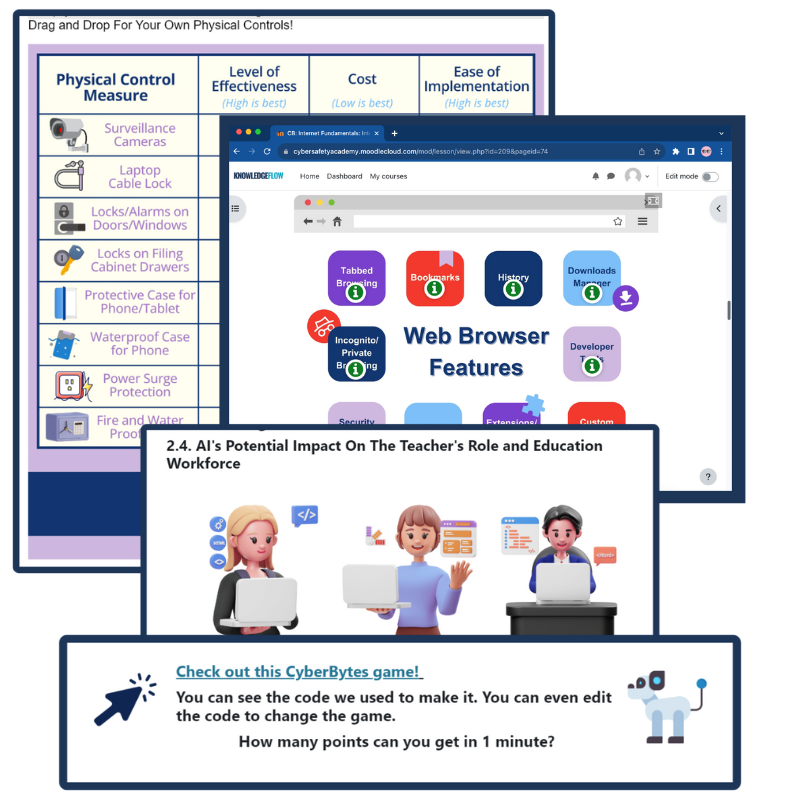
CyberBytes: Empowering Educators Through Digital Literacy
The CyberBytes Program is a free, self-paced course created exclusively for K-12 educators in Canada, designed to fit your schedule and enhance both your personal and professional growth. Developed by certified cybersecurity experts, this program empowers you to create engaging, tech-savvy classrooms while equipping you and your students with the skills needed to thrive in an ever-evolving digital landscape.
If you would like to…
- Further expand your knowledge on design principles and what good design entails;
- Further understand the accessibility perspective of design;
- Obtain cross-curriculum ready-to-use lesson plans, classroom posters and checklists, student resources, tip sheets, and other external resources;
Please go to ICTC’s online CyberBytes course and complete the Cyber Design and Evolution module by clicking the button to the left.

The Information and Communications Technology Council (ICTC) is a neutral, not-for-profit national centre of expertise with the mission of strengthening Canada’s digital advantage in the global economy. For over 30 years, and with a team over 100 experts, they have delivered forward-looking research, practical policy advice, and capacity-building solutions for individuals and businesses. ICTC’s goal is to ensure that technology is utilized to drive economic growth and innovation and that Canada’s workforce remains competitive on a global scale. ICTC’s PDday is funded by the Government of Canada’s CanCode Initiative.
 English
  French
  Chinese
  Spanish
  Ukrainian