


En asociación de confianza con la Fundación KnowledgeFlow para la Ciberseguridad

Cada día, los profesores crean materiales digitales e impresos destinados a guiar, inspirar y apoyar a los alumnos, pero no todos los estudiantes experimentan esos materiales de la misma manera. Las fuentes, los colores, el contraste, el diseño y la estructura pueden determinar en silencio si el contenido resulta claro o confuso, acogedor o abrumador. Cuando los educadores comprenden cómo el diseño determina el acceso, adquieren la capacidad de llegar a todos los alumnos con intención y claridad.
Módulo 4: Diseñar para todos acerca a los educadores al mundo esencial del diseño inclusivo y accesible. Este módulo explora los fundamentos de la comunicación visual, incluidos los elementos, los principios, el diseño, la tipografía y el color, al tiempo que muestra cómo pequeños cambios pueden transformar los materiales de aprendizaje en herramientas que apoyen las diversas necesidades. Examinará qué hace que un texto sea legible, cómo construir una jerarquía visual sólida y cómo las directrices de accesibilidad, como el modelo POUR y la AODA, convierten un buen diseño en un diseño equitativo. Desde comprobaciones de contraste hasta ejemplos reales en el aula, desde momentos de reflexión hasta prácticas, cada lección le capacitará para crear materiales que funcionen para todos los estudiantes.
Desplácese hacia abajo para continuar su viaje PDday.
Contenido
Parte 1
Diseño de materiales didácticos claros y eficaces
¿Cómo influyen las opciones de diseño en la forma en que los estudiantes entienden y se relacionan con los materiales didácticos? En este submódulo, explorará la diferencia entre diseño y diseño gráfico y por qué estos conceptos son importantes en los recursos cotidianos del aula. Conocerá los elementos y principios clave del diseño visual y cómo influyen en la claridad, el enfoque y la comprensión. A través de ejemplos prácticos en el aula, el submódulo pone de relieve cómo un diseño, una tipografía, un color y un espaciado bien pensados pueden reducir el esfuerzo innecesario de los estudiantes y apoyar el aprendizaje de forma más eficaz. Al final de este submódulo, estará mejor preparado para evaluar y mejorar sus propios materiales didácticos, tomando decisiones de diseño intencionadas que mejoren la accesibilidad, la organización y la comprensión de los estudiantes.
Nota: Haga clic en el vídeo para reproducirlo o haga clic en el botón “Ver en YouTube” situado en la parte inferior izquierda del vídeo para verlo directamente en YouTube.
¡Pon a prueba tus conocimientos!
Reflexionando sobre el pasado
Cuando diseñamos lecciones y materiales didácticos, a menudo nos centramos primero en el contenido en sí, en lo que los alumnos deben saber o ser capaces de hacer. Sin embargo, la forma en que se presenta ese contenido desempeña un papel fundamental a la hora de que los alumnos lo comprendan fácilmente y mantengan su interés. La jerarquía visual, el espaciado, el color y el diseño influyen en el lugar al que los alumnos dirigen su atención y en la forma en que dan sentido a la información. Tomarse un tiempo para reflexionar sobre una lección o un recurso reciente puede ayudar a revelar momentos en los que los estudiantes pueden haberse sentido abrumados, inseguros de lo que era más importante o desconectados. Si se tiene en cuenta la eficacia con la que los materiales han guiado la atención y resaltado las ideas clave, se pueden empezar a identificar pequeños ajustes en el diseño (como títulos más claros, un formato coherente o la reducción del desorden visual) que mejoren la claridad. Incluso un pequeño cambio puede hacer que los materiales de aprendizaje sean más accesibles y ayudar a los estudiantes a centrarse en lo más importante.
Parte 2
Aspectos esenciales de la accesibilidad
¿Qué significa accesibilidad en la práctica y qué responsabilidades tienen los educadores a la hora de crear materiales didácticos? En este submódulo, explorará los fundamentos legales de la accesibilidad en la educación canadiense y las herramientas prácticas que apoyan la enseñanza inclusiva. Aprenderá cómo la legislación sobre accesibilidad, los comprobadores de accesibilidad incorporados y las tecnologías de aula ayudan a eliminar las barreras para los estudiantes con necesidades diversas. El submódulo también presenta el modelo POUR como marco para diseñar materiales digitales que sean perceptibles, manejables, comprensibles y sólidos. A través de ejemplos de clase, se examinará cómo las decisiones meditadas en torno al diseño, el contraste, la navegación, el lenguaje y la representación favorecen el acceso y la participación equitativos. Al final de este submódulo, estará mejor preparado para integrar la accesibilidad y el diseño inclusivo en la planificación de las clases como parte intencionada y proactiva de una enseñanza eficaz.
Nota: Haga clic en el vídeo para reproducirlo o haga clic en el botón “Ver en YouTube” situado en la parte inferior izquierda del vídeo para verlo directamente en YouTube.
¡Pon a prueba tus conocimientos!
Reflexionando sobre el pasado
Los profesores suelen crear y compartir tareas, documentos y recursos digitales, a menudo sin tener la oportunidad de examinarlos desde el punto de vista de la accesibilidad. Sin embargo, para los estudiantes que dependen de servicios de accesibilidad o tecnologías de apoyo, las opciones de diseño y formato pueden determinar que un recurso sea utilizable. Reflexionar sobre los materiales con los que sus alumnos interactúan a diario le invita a considerar quién puede quedar excluido involuntariamente y por qué. Pensar en factores como fuentes legibles, estructura clara, texto alternativo, subtítulos y compatibilidad con herramientas de accesibilidad puede ayudar a descubrir lagunas entre la intención y la experiencia. Al evaluar cuántos de sus recursos actuales cumplen las normas básicas de accesibilidad, puede empezar a identificar pasos prácticos hacia un diseño más inclusivo, garantizando que todos los estudiantes tengan un acceso equitativo al aprendizaje y la oportunidad de tener éxito.
Diseño universal para el aprendizaje
De Cast
Parte 3
Demostración y prueba de aptitudes
Practicar habilidades de diseño es tan importante como aprender conceptos de diseño. En este submódulo final, aplicará lo que ha aprendido analizando materiales reales de clase. Se le presentarán cinco diseños, cada uno de ellos con múltiples problemas de diseño relacionados con la maquetación, la legibilidad, la jerarquía visual, la accesibilidad o la claridad. Para cada diseño, su tarea consistirá en identificar tres defectos de diseño y considerar cómo esas elecciones pueden afectar a la comprensión y el compromiso de los alumnos. Este ejercicio fomenta la observación crítica, refuerza los principios clave del diseño y le ayuda a adquirir confianza para evaluar y mejorar los materiales didácticos antes de utilizarlos en el aula.
1. RimberioCafé Cartel
2. Banner del blog de cultura del lugar de trabajo
3. Cartel de la exposición de arte
4. Portada de la cartera
5. Cartel del taller empresarial
Reflexionando sobre el pasado
Al examinar los cinco carteles, es posible que se haya dado cuenta de cómo las pequeñas opciones de diseño pueden favorecer o dificultar la comprensión. Aspectos como la disposición abarrotada, los tipos de letra incoherentes, el bajo contraste o el énfasis poco claro pueden dificultar la identificación de los mensajes clave, aumentando la carga cognitiva de los alumnos. Este submódulo le ha animado a ver los materiales desde la perspectiva de un estudiante y a reconocer cómo los elementos y principios del diseño determinan la claridad y la accesibilidad. A medida que reflexione, considere cómo ajustes similares (como mejorar el espaciado, reforzar la jerarquía visual o simplificar el diseño) podrían mejorar sus propios materiales didácticos.
Para completar este módulo y recibir su crédito, por favor, complete el siguiente cuestionario y obtener una calificación de al menos 70% pasar.
PDday.ca Módulo 4 Cuestionario
Planes de lecciones
PDday.ca Planes de lecciones para tu aula
Explore nuestra colección completa de planes de lecciones sobre alfabetización en medios digitales y ciberseguridad, diseñados específicamente para aulas de primaria y secundaria, que se adaptan fácilmente a su horario y plan de estudios actuales. Cada lección es atractiva, fácil de impartir y está diseñada intencionadamente para completarse en 45 minutos o menos, lo que facilita su integración en el aula sin estrés.
PDday.ca Materiales didácticos
Aquí tienes tres presentaciones de diapositivas, filtradas por rango de grado (Grados 9-12, 5-8, y 1-4), que puedes añadir directamente a Google Classroom. Estas presentaciones de diapositivas facilitan la conversión de la información en lecciones enseñables con diapositivas listas para que los alumnos se conviertan ellos mismos en expertos. Puedes presentarlas en clase o compartirlas con alumnos y padres para que las exploren por su cuenta.
PDday.ca Actividades de clase
Aquí encontrarás actividades didácticas que puedes utilizar directamente en el aula y subir a Google Classroom. Hay una versión para profesores y otra para alumnos que se pueden entregar directamente. Esta versión funciona como un guía del profesor o se pueden compartir con los alumnos para facilitar su uso. Las actividades están alineadas con el plan de estudios y diseñadas para profundizar la comprensión de los alumnos sobre los conceptos de ciberseguridad. Están organizadas por rango de grados (grados K-4 y grados 5-12) y convenientemente incluidas en un solo documento para facilitar el acceso.
Alineación curricular para profesores
Hemos simplificado la integración de nuestros materiales sobre ciberseguridad en su plan de estudios con una guía completa. Esta guía ayuda a los educadores a adaptar nuestros recursos a los estándares provinciales, lo que facilita la incorporación de nuestro contenido en los planes de estudio y el cumplimiento de los objetivos educativos. Al filtrar por provincia, grado y curso, los educadores pueden encontrar exactamente lo que necesitan. recurso o plan de lecciones necesario incluir la educación en ciberseguridad.
Cursos adicionales
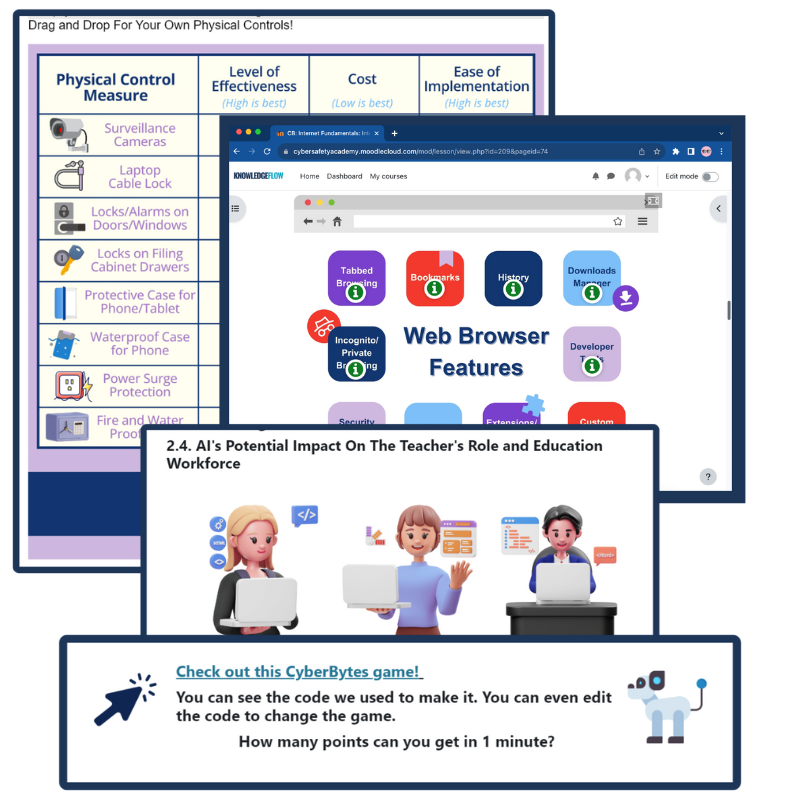
CyberBytes: Capacitar a los educadores mediante la alfabetización digital
El Programa CyberBytes es un curso gratuito y autodidáctico creado exclusivamente para educadores de K-12 en Canadá, diseñado para adaptarse a su horario y mejorar su crecimiento personal y profesional. Desarrollado por expertos certificados en ciberseguridad, este programa te capacita para crear aulas atractivas y conocedoras de la tecnología, a la vez que te dota a ti y a tus alumnos de las habilidades necesarias para prosperar en un panorama digital en constante evolución.
Si desea...
- Amplíe sus conocimientos sobre los principios del diseño y lo que implica un buen diseño;
- Comprender mejor la perspectiva de accesibilidad del diseño;
- Obtenga planes de lecciones transversales listos para usar, carteles y listas de control para el aula, recursos para los estudiantes, hojas de consejos y otros recursos externos;
Por favor, vaya a Curso CyberBytes en línea del ICTC y completar el Ciberdiseño y evolución haciendo clic en el botón de la izquierda.

En Consejo de Tecnologías de la Información y la Comunicación (CTIC) es un centro nacional de conocimientos neutral y sin ánimo de lucro cuya misión es reforzar la ventaja digital de Canadá en la economía mundial. Desde hace más de 30 años, y con un equipo de más de 100 expertos, ofrece investigación con visión de futuro, asesoramiento político práctico y soluciones de capacitación para particulares y empresas. El objetivo del ICTC es garantizar que la tecnología se utilice para impulsar el crecimiento económico y la innovación, y que la mano de obra canadiense siga siendo competitiva a escala mundial. El PDday del ICTC está financiado por la Iniciativa CanCode del Gobierno de Canadá.

 English
  French
  Chinese
  Spanish
  Ukrainian